Haptic Atlas: Learning Navigation by Feel
Zhengrui Hao and Xinyu Jiao
Haptic Atlas
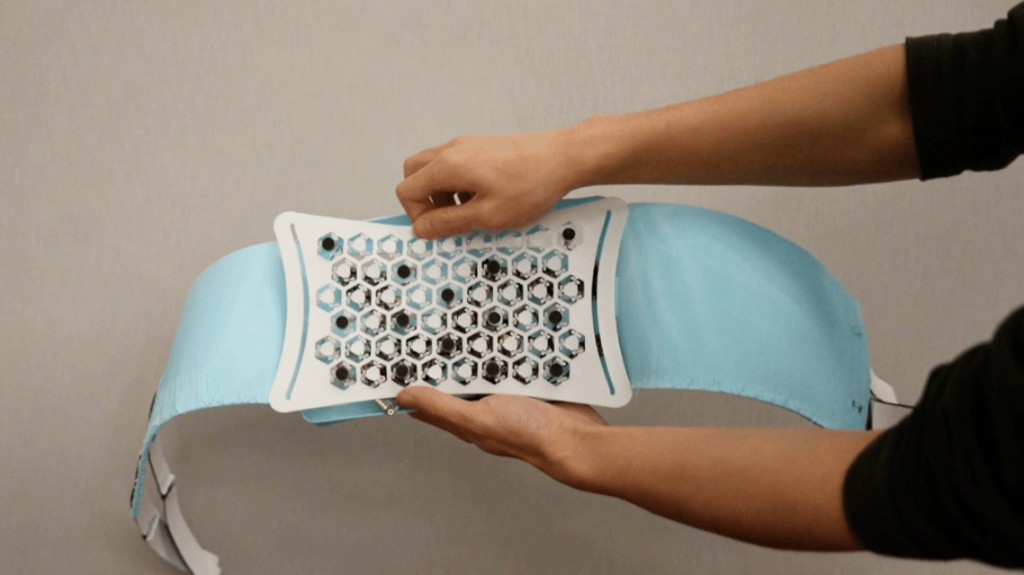
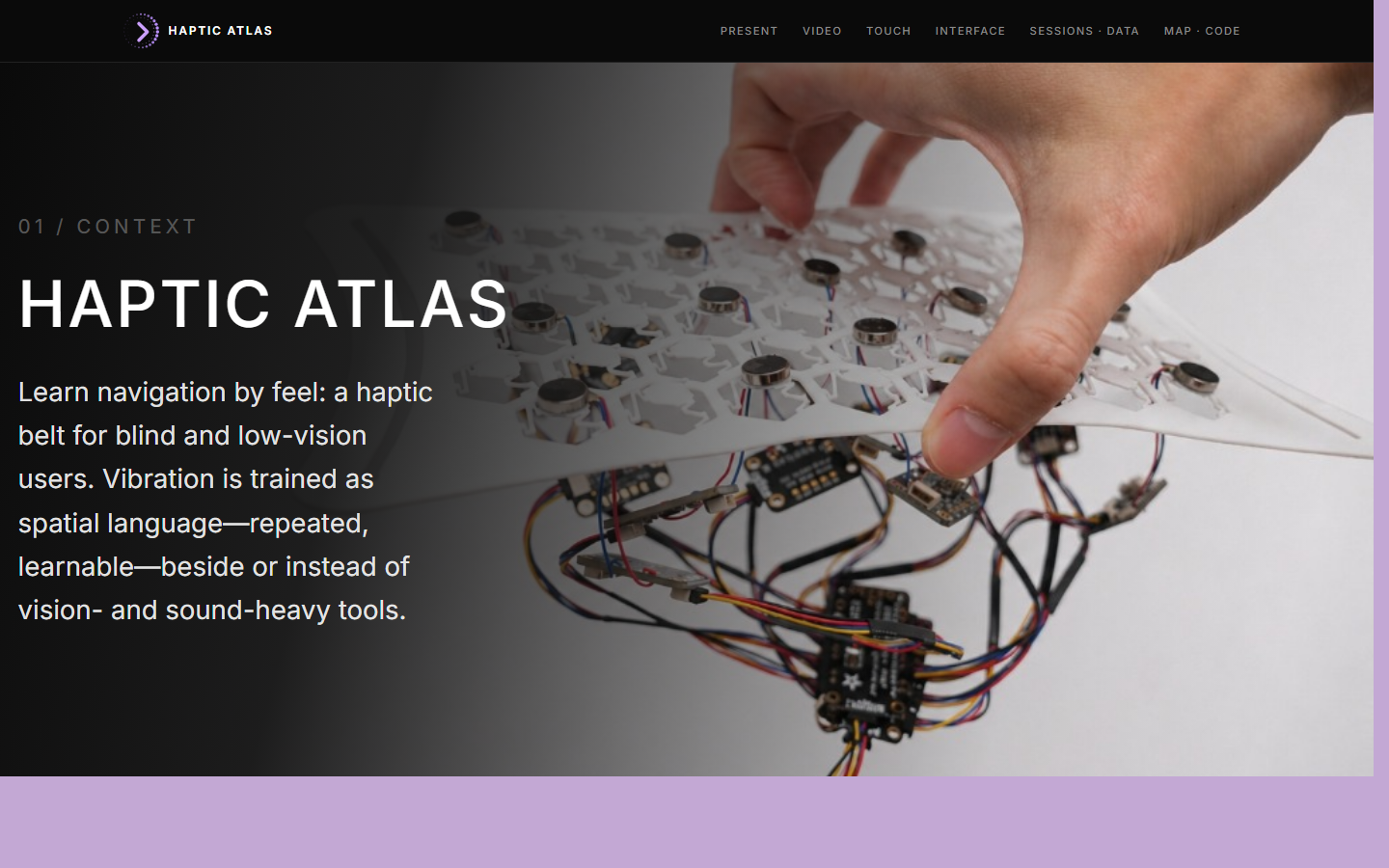
Learning navigation by feel — a wearable haptic belt for blind and low-vision users. Vibration is trained as a spatial language: repeated, learnable, and used beside or instead of vision- and sound-heavy navigation tools.
Context
Navigation is still mostly designed for vision, while audio alternatives can add listening overload. Haptic cues offer another path, but they need to be designed as something people can learn through repeated movement, not just feel as isolated alerts.
Haptic Atlas is a training system, a wearable, and a documentation platform — together they let direction be felt, practiced, and reviewed.
Key questions
- How can direction be felt on the body?
- How can tactile cues be learned through training?
- How can sessions be recorded without becoming surveillance?
System Components
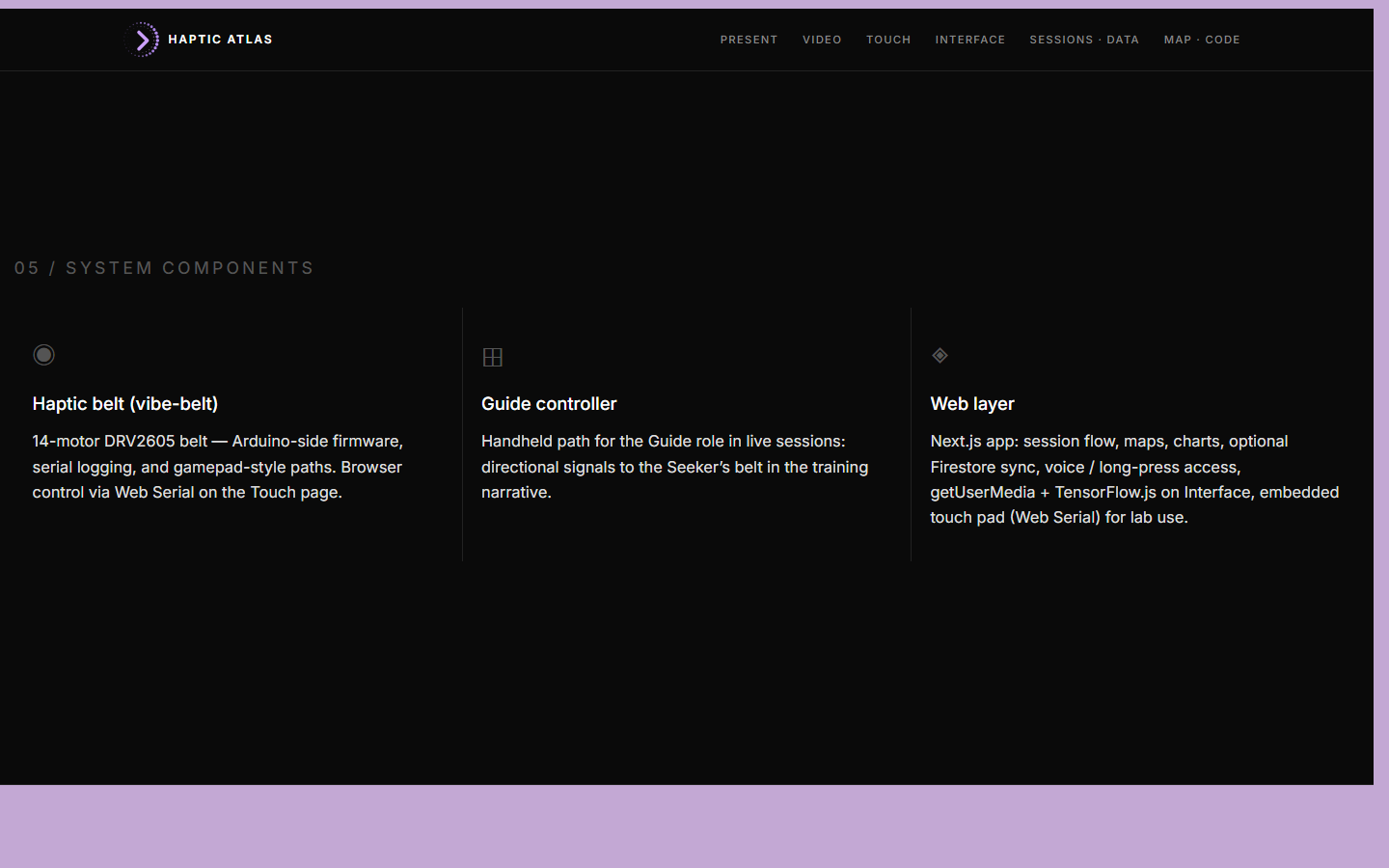
The project is built across three connected layers.
- Haptic belt (vibe-belt). A 14-motor DRV2605 belt with Arduino-side firmware, serial logging, and gamepad-style cue paths. Browser control via Web Serial on the Touch page.
- Guide controller. A handheld device for the Guide role in live training sessions, sending directional signals to the Seeker's belt.
- Web layer. A Next.js application that handles the session flow, walking-trace maps, charts, optional Firestore sync, voice and long-press accessibility, and an embedded touch pad for lab use.
Hardware
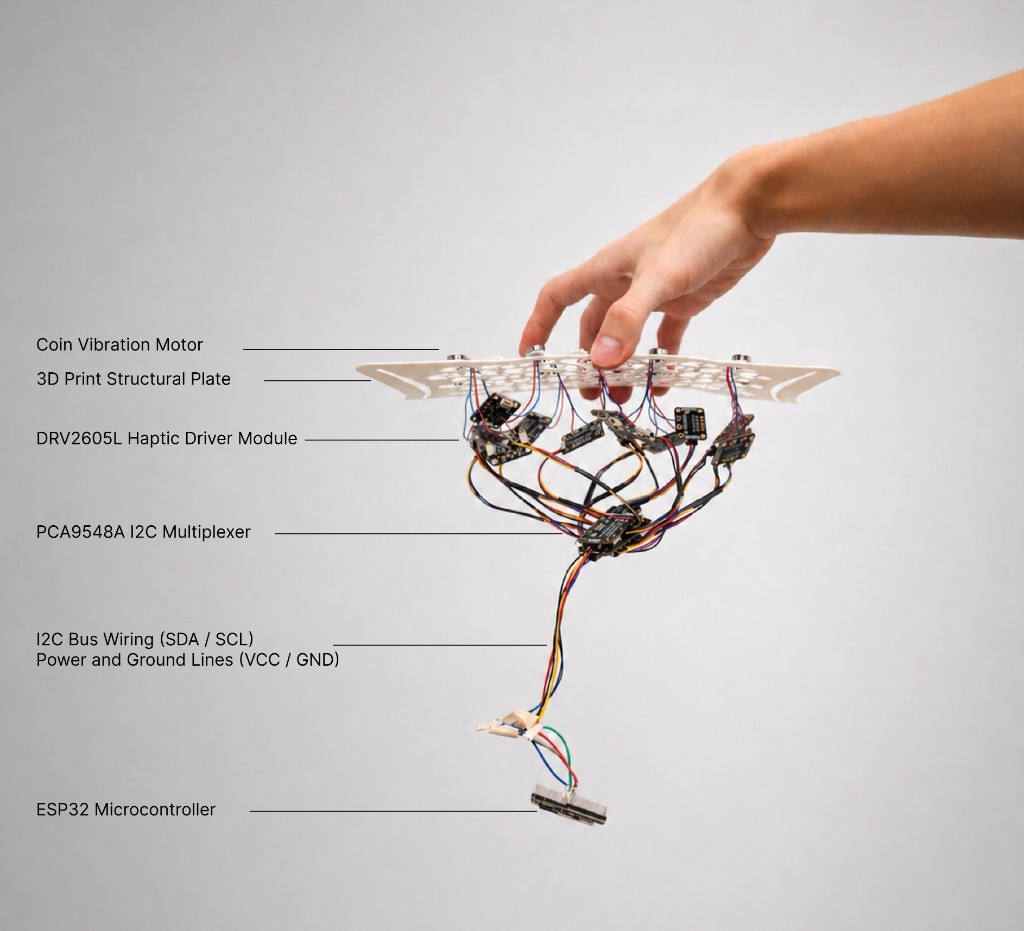
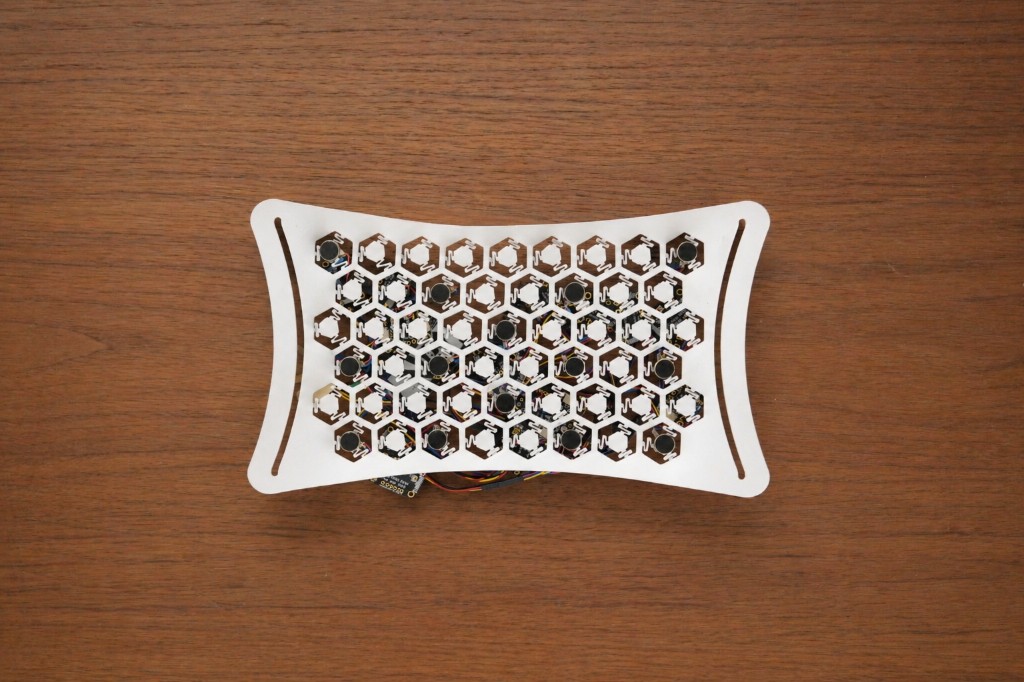
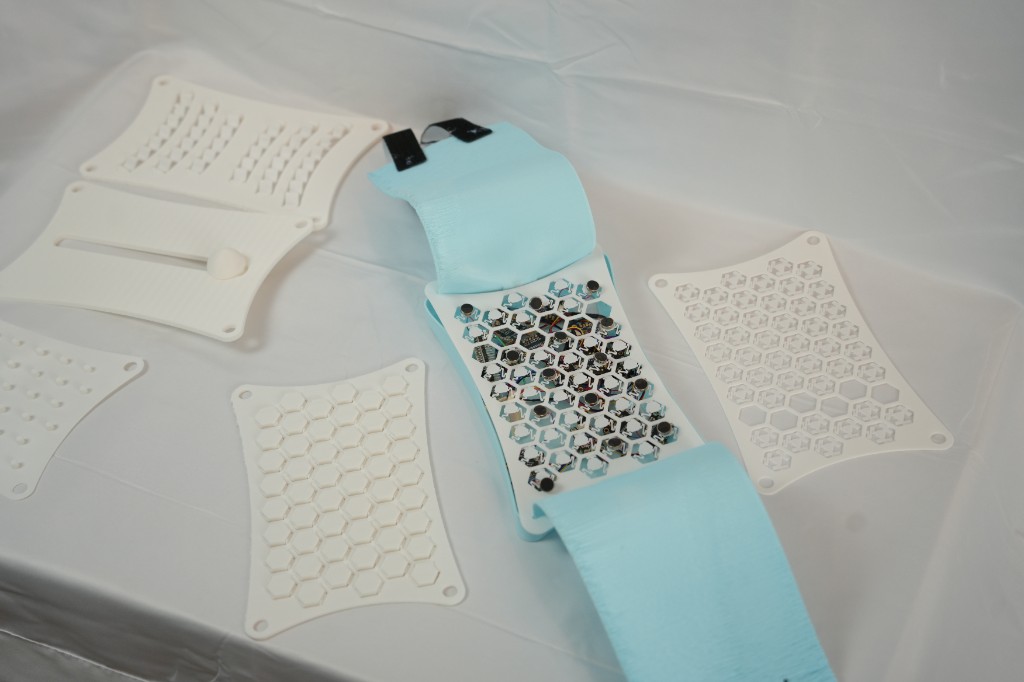
The wearable is a flexible hex lattice plate carrying coin vibration motors, sandwiched against a soft belt so the array sits across the lower back. Each motor is driven by a dedicated DRV2605L haptic driver; a PCA9548A I2C multiplexer fans the bus out so individual cells can be addressed independently from a single ESP32.
Iteration
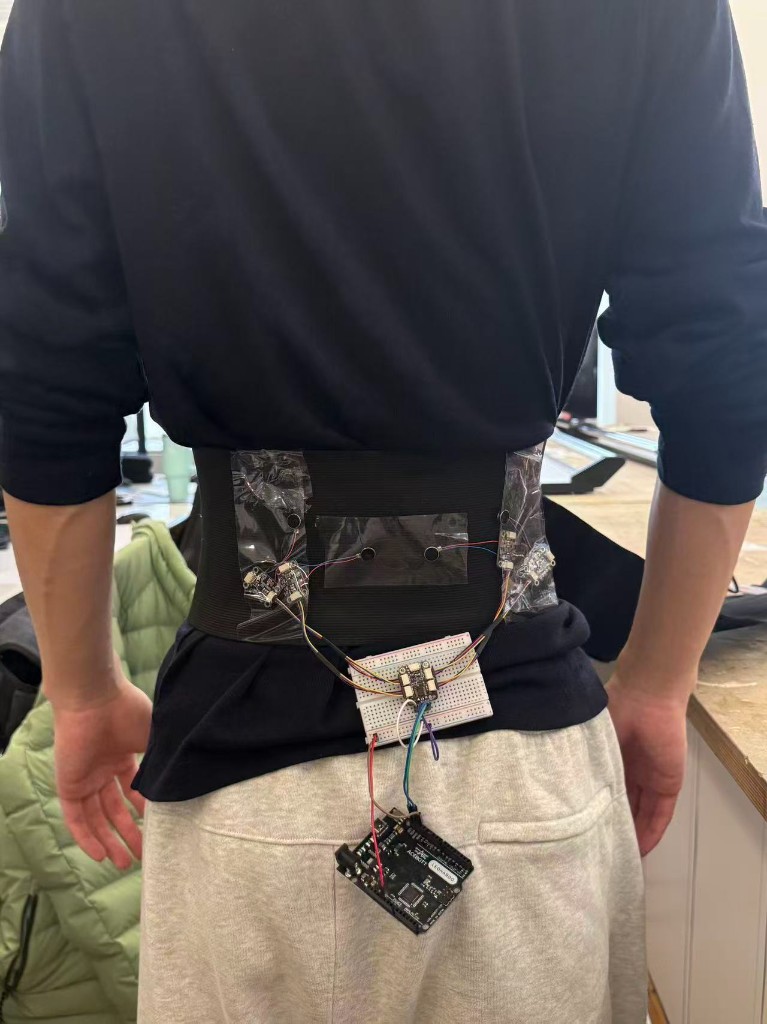
Earlier iterations explored different lattice geometries, motor densities, and rigid-vs-flexible plates. The current version balances density (enough motors to feel directional gradients) against wearability (a plate that conforms to the body without losing its hex grid).
Web Interface
The site is the project's main presentation, documentation, and evidence layer. Built as a responsive Next.js app, it hosts the session flow, walk-trace maps, charts, and an iteration archive — visually tuned to a retro pixel-inspired pink / purple / black palette so it reads as a designed system rather than a portfolio template.
The web layer combines several browser APIs and libraries:
- Web Bluetooth — device communication
- getUserMedia — camera stream for Interface experiments
- TensorFlow.js (COCO-SSD + MobileNet) — in-browser object detection and scene labels for spoken cues
- Geolocation API + Leaflet — walking-trace capture and route maps
- Recharts — session and comparison charts
- Firebase Firestore — cloud session records
This lets each navigation test be treated not only as an experience, but also as data that can be documented, compared, and reviewed.
Findings
Touch navigation is as much about training and session data as it is about hardware. Each run can log routes, timing, corrections, and how people respond to cues — making the non-visual path reviewable.
Those records already support review. Beyond that, the same data could train AI models, learning from repeated sessions to predict which belt cues fit different spatial situations.
Open direction. Longer term: less reliance on a human guide. Pair the belt with sensing (vision, location, ...) and let a model map context to haptic output for more independent wear. A direction, not a finished claim.
Code
The full source for the website and the belt firmware lives at github.com/xinyu-jiao/haptic-atlas.
Contributions
Zhengrui Hao — initial project conception, implementation logic, and experiment design. Led all hardware work: hardware-side code, circuit assembly and soldering, mechanical and 3D-model design, FDM printing of the lattice plates, and the software–hardware bridge. Drove the interaction design of the haptic belt and controller.
Xinyu Jiao — built the website as the project's documentation, presentation, and evidence layer; designed the app UI; supported Zhengrui in physical prototyping; documented the testing sessions; and helped wire the website to the hardware.